
Cable Management Home Office UK 2026: A Practical Guide to a Tidier Desk
If you work from home for any part of the week, the space behind your desk probably looks like a small, angry ecosystem of cables. Power leads, HDMI, a USB hub trailing three phone chargers, the router flex running across the carpet because that’s where the socket was. It’s ugly, it collects dust, and it’s usually the one part of a setup people avoid thinking about until something trips.
In This Article
- Why cable management home office UK setups matter more in 2026
- Start with an audit, not a shopping trip
- The under-desk basics: trays, channels and clips
- Hiding the power: sockets, extensions and the router
- Desk-level tidying: monitors, docks and the daily-use stuff
- What to buy, and what to skip
- Keeping it tidy past the first week
- The bit most guides skip
Good cable management home office UK setups aren’t about buying a box of gadgets from Amazon. They’re about five or six small decisions – where the power comes in, what lives on the desk, what lives under it – made once and then left alone. Done well, you stop seeing cables at all. Done badly, every cable is a daily little irritation.
Here’s a practical guide, written for a normal UK home with normal UK power sockets, a normal amount of budget and no desire to drill into the wall.
Why cable management home office UK setups matter more in 2026
Hybrid working is now the default rather than the exception in the UK, and the home end of that split has settled in. That means the average UK home desk has more kit on it than it did three years ago: a dock, an external monitor, maybe a second screen, a webcam, a ring light, a pair of speakers. Every single one brings a cable.
The practical consequence is that cable management isn’t a nice-to-have – it’s load-bearing. Messy cables make it harder to clean, harder to move the desk to hoover under it, and harder to diagnose anything when a connection fails. They also look awful on video calls when someone angles the laptop wrong. Fifteen minutes spent sorting this once pays back across the whole year.
Start with an audit, not a shopping trip
Before ordering a single tray or sleeve, unplug everything and lay it on the desk. You’ll almost always find one or two things you no longer use: a charger for a device you’ve replaced, an HDMI cable running to a monitor you stopped using, a powered USB hub that’s redundant now that the dock handles it.
Label what’s left. Masking tape and a Sharpie is fine. Write the device name on a small flag near each end. Labelling is the least glamorous step in cable management and by far the most useful – it’s the one thing you’ll thank yourself for in six months when a plug trips and you need to know which lead runs to the router without crawling under the desk.
If you’re also rethinking the desk itself, it’s worth reading our guide to setting up a small-space home office at the same time, because the two decisions interact: a desk pushed against a wall has different routing options than one floating in the middle of a room.
The under-desk basics: trays, channels and clips
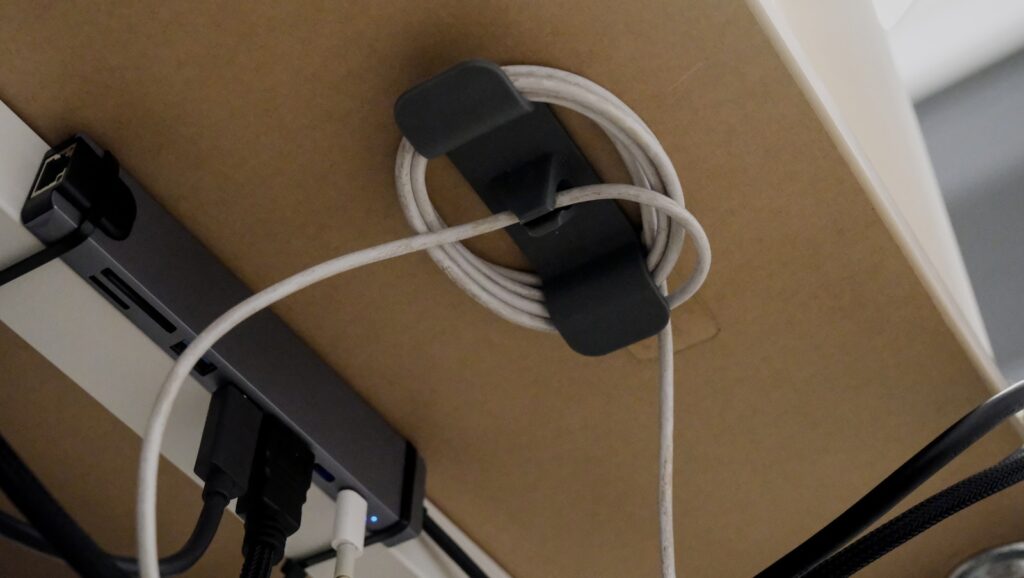
The single biggest win is getting power off the floor. A steel under-desk cable tray, screwed into the underside of the desk, holds an extension lead, a power brick and any loose slack. Ikea’s Signum is the classic version; Amazon has near-identical own-brand trays from around £20 that are perfectly fine.
Once the tray is up, three cheap items do almost all the remaining work:
- Self-adhesive cable clips along the back edge of the desk, holding the run tidy between the dock and the tray.
- A woven cable sleeve to bundle the two or three leads that have to travel to the monitor or dock together. Around £8 on Amazon UK for a metre.
- Velcro ties rather than plastic zip ties. You will rearrange this setup at some point, and cutting zip ties off with a knife under a desk is a bad afternoon.
Don’t over-buy. Two cheap sleeves and a packet of clips is more than most UK home desks need.
Hiding the power: sockets, extensions and the router
The unglamorous truth is that UK rented homes usually have one awkward socket in the wrong place, and everything has to work around it. A few practical rules:
Choose a surge-protected extension lead long enough to reach from the socket to the under-desk tray without pulling taut. Which? has a useful round-up of extension leads and surge protection that’s worth a look if you’re plugging in anything expensive. Individually switched sockets are worth the extra couple of pounds – you can power down the monitor and ring light at the end of the day without unplugging anything.
Keep the router visible but not on the desk. A small shelf or a wall-mounted holder gets it up off the floor and away from cables. Hiding it in a cupboard is a false economy: you’ll throttle the signal and spend a year blaming the provider.
If the room’s layout forces a cable to cross a walkway, use a low-profile floor cable cover – not gaffer tape, which lifts carpet and discolours over a summer.
Desk-level tidying: monitors, docks and the daily-use stuff
On top of the desk, the rule is simple: every cable that leaves the desk should leave it in the same place. If your monitor cable, laptop charger and headphones all drop off the back at roughly the same point, a sleeve can swallow them and the desk looks like it has one cable, not five.
A monitor arm helps more than you’d think. It lifts the screen off its stand and routes the cable down the arm rather than across the desk, which clears the whole middle section. You can get a solid UK-sold VESA arm for £30-£50; above that, you’re mostly paying for smoother joints rather than a meaningfully better result.
For the daily-use cables – phone charger, headphone lead – a single magnetic cable holder on the desk edge is worth its weight. It keeps the USB-C lead at hand when you sit down and out of the way when you don’t. If you’re upgrading headphones at the same time, our guide to video call gear for UK home workers covers what’s worth spending on and what isn’t.
What to buy, and what to skip
The cable-management market is full of products designed to look good in unboxing videos and do nothing useful in real rooms. A few honest notes on UK pricing in 2026:
Worth buying: a steel under-desk tray (£15-£25), a pack of self-adhesive clips (£5), one or two Velcro sleeves (£8-£12), a surge-protected extension (£15-£30), a VESA monitor arm if you have a separate monitor (£30-£50). That’s the complete kit for most home desks, and it comes in comfortably under £100.
Skip, or at least think twice: wireless chargers that replace one cable with a slightly different cable, fabric cable boxes that hide the power brick but also trap heat, and “smart” cable management systems that need their own app. None of these solve a problem; they mostly generate a new one.
If you’re trying to rationalise the wider space as well as the cables, our room-by-room decluttering guide has some useful overlap – the same audit-before-you-buy logic applies.
Keeping it tidy past the first week
Cable tidiness degrades quickly. New device, new charger, new set of leads stuffed behind the monitor “just for now”. The trick is to treat the tray, the sleeve and the clips as fixed infrastructure: anything new has to fit into them, not sit on top of them.
A 10-minute check every couple of months – unplug anything you haven’t used since the last check, re-seat anything that’s drifted, replace any Velcro ties that have gone limp – keeps the whole thing stable. Two hours across a year, versus re-doing the entire setup every six months.
One last point worth mentioning: if your home office is also where you claim tax relief, keeping receipts for the kit you buy is sensible. HMRC’s guidance on tax relief for employees sets out what’s claimable and what isn’t – a small under-desk tray probably won’t move the needle, but a monitor arm or chair can.
The bit most guides skip
Cable management is not a design project. It’s a maintenance habit. The setups that look best are almost always the ones that solve three or four specific, unglamorous problems – the router that was on the floor, the charger that trailed across the desk, the extension lead pulled taut across a skirting board – and then stop. You don’t need more gear than that.
If you take one thing from this, it’s this: spend an hour, not a weekend. Buy the tray, the sleeves, the clips and the extension. Do the audit first, the shopping second. Then leave it alone.
What’s the cable on your desk you find yourself re-tidying every week, and have you worked out why it keeps drifting back into a mess?





Did the full cable audit behind my desk last Sunday after my monitor arm started pulling the HDMI out every time I swivelled. Underdesk tray plus velcro wraps sorted 80 percent of it. One thing you have not mentioned that made a massive difference for me – a single extension lead stuck to the underside of the desk with command strips. Keeps everything off the floor. How are you handling the webcam cable specifically? That one I still cannot make look tidy.
The extension lead on the underside trick is genius, borrowing that one. For the webcam cable – mine runs along the top of the monitor and drops down the back using small 3M transparent cable clips. Swapping to a shorter 1m USB was the other fix, there’s just no slack to deal with. If you stay on a wired cam for quality reasons, a panel-mount USB on the back of the desk is the neat version – bit fiddly to install but it pays off.