
Home Office Lighting UK 2026: A Practical Guide to a Better-Lit Workspace
Good home office lighting UK 2026 is one of those things nobody notices until it goes wrong – at which point it quietly wrecks your eyes, your posture and your mood. Most of us are still working from home at least part of the week, often from a spare room, a landing nook or the corner of a kitchen. The lighting in those spaces was never designed for eight hours at a laptop, and it shows.
In This Article
- Why home office lighting UK 2026 matters more than you think
- Start with the room: natural light and how to work with it
- Task lighting: the desk lamp that actually earns its spot
- Overhead and ambient light: get the base layer right
- Smart bulbs and colour temperature: what's worth bothering with
- Video calls: lighting for the camera, not just the eyes
- A quick home office lighting UK 2026 shopping checklist
- A final thought
This guide walks through what’s actually worth buying and changing this year, from desk lamps to bulb temperature, without pushing gimmicks or over-engineered smart setups you’ll never properly use.
Why home office lighting UK 2026 matters more than you think
British homes are dim. Deep window reveals, narrow terraces and a climate that throws dark skies at you from October to March all conspire to leave home workspaces under-lit for most of the year. Poor lighting is linked to eye strain, headaches and disrupted sleep patterns – as The Guardian has reported, the colour temperature and intensity of the light around you affects alertness and recovery in ways that are easy to underestimate.
Getting lighting right is also the cheapest upgrade you can make to a home office. A decent desk lamp and two well-chosen bulbs will do more for your working day than a new chair – and for a fraction of the price. If you’re already rethinking your setup this spring, it pairs neatly with the tips in our small-space home office guide.
Start with the room: natural light and how to work with it
Before you buy anything, look at your room honestly. When is light coming in, from which direction, and where is your screen in relation to the window? Two common mistakes:
- Sitting with the window directly behind you, so your screen reflects it and your face goes into shadow on calls.
- Sitting facing the window, so you spend half the day squinting and the other half pulling the blind down.
The sweet spot is window to your side, ideally on your non-dominant hand, with a sheer blind or curtain you can close when the sun is low. If you can’t move the desk, a cheap sheer panel from John Lewis or Dunelm will soften the worst of the glare without making the room feel gloomy.
North-facing rooms are the quiet heroes here – steady, even light all day with no harsh shadows. South-facing rooms look glorious in the estate agent’s photos but are hard work on a sunny afternoon without proper shading.
Task lighting: the desk lamp that actually earns its spot
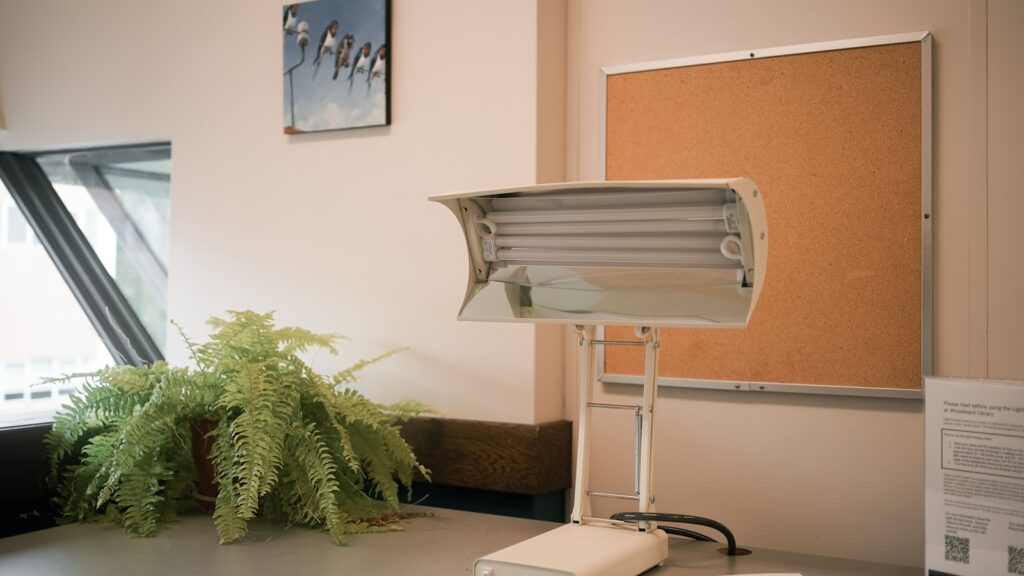
If you buy one thing this year, make it a proper task lamp. The built-in light in your ceiling rose is almost certainly in the wrong place and the wrong colour temperature for close work. A focused lamp on your desk, angled onto your keyboard and papers rather than at the screen, cuts eye strain noticeably within a week.
What to look for:
- Adjustable arm – so you can get the light where it’s actually needed, not where the lamp’s design wants it to go.
- Dimmable output – the light you want at 9am isn’t the light you want at 7pm.
- Adjustable colour temperature – ideally 2700K to 5000K, covering warm evening light through to cooler daytime working light.
- A decent lumen output – aim for 500 lumens or more at the desk surface for reading and detail work.
BenQ, Xiaomi and TaoTronics all make sensible options in the £40-£120 range. Which? has reliable desk lamp reviews worth checking before you commit, particularly for eye-care features and longevity. Avoid anything marketed primarily on style – if the reviews don’t mention lux levels at a measured distance, the lamp is probably an object, not a tool.
Overhead and ambient light: get the base layer right
Task lighting works best when it sits on top of reasonable ambient light – not as the only source in an otherwise gloomy room. Staring at a bright screen in a dark room is one of the worst things you can do to your eyes.
For the ceiling pendant or main room light, a single 800-1000 lumen LED bulb in a warm white (around 3000K) is plenty for most small rooms. If your home office is also a spare bedroom or snug, consider a second light source at a different height – a floor lamp in the corner, a bookshelf strip light, or even a table lamp on a chest of drawers. Layered lighting makes a small room feel larger and softer, and gives you options when the natural light drops.
If you’re on a shared ring-main or you rent and can’t change fittings, a plug-in floor lamp with an uplighter shade throws a surprising amount of usable light off a white ceiling with zero rewiring. It’s the simplest upgrade most people ignore.
Smart bulbs and colour temperature: what’s worth bothering with
Smart bulbs have matured a lot since the early Hue days. In 2026, a pack of Philips Hue, IKEA TrĂĄdfri or Govee bulbs costs a fraction of what it used to, and most work perfectly happily with Alexa, Google Home or Apple Home without a hub if you stick to the Wi-Fi versions.
For a home office, the useful trick is scheduling, not scenes. Set bulbs to shift cooler and brighter at the start of the working day (around 4500K-5000K, 80-100% brightness) and warmer and dimmer in the late afternoon (around 2700K, 40-60%). You stop having to think about it, and your body starts to pick up on the cue that the working day is tapering off – which helps with the long-standing problem that home workers struggle to switch off. The BBC has covered the evidence on circadian lighting in reasonable depth for anyone who wants the science rather than the marketing.
What isn’t worth it: coloured mood lighting in a working space, novelty RGB light strips behind monitors, and any “smart” light that requires a separate app you’ll use twice and then forget. Keep the home office calm and boring; save the party lights for the lounge.
Video calls: lighting for the camera, not just the eyes
Your webcam sees light very differently from how you do. A window behind you that looks fine in person will turn you into a silhouette on Teams. Overhead ceiling spots will give you heavy eye sockets and a tired, shadowed look no matter how well you’ve slept.
The fix is a front-facing, slightly-above-eye-level soft light. This can be your desk lamp angled onto a pale wall behind the monitor, a basic LED panel clipped to the top of your screen, or a ring light on a short stand. You don’t need anything expensive – even a £25 LED panel from Amazon will transform how you look on calls, and it earns its keep the first time a senior client sees you looking alert rather than catacomb-lit.
If you’re rebuilding your remote-work setup more broadly, our guide to video call gear for UK home workers covers cameras, mics and lighting panels together, which tend to work best when you pick them as a set rather than one at a time.
A quick home office lighting UK 2026 shopping checklist
Before you spend anything, run through this list. If you’ve ticked most of these, you’re ahead of 90% of UK home offices:
- Desk positioned so the main window is to your side, not behind or directly in front.
- One adjustable, dimmable task lamp with tunable colour temperature on the desk.
- Ambient room light at around 800-1000 lumens, ideally warm-to-neutral white.
- At least one secondary light source (floor lamp, table lamp, or bookshelf strip) for layering.
- A front-facing soft light for video calls, even if it’s just a lamp bounced off a wall.
- Smart bulbs, if you use them, scheduled to shift warmer and dimmer through the day.
- No direct light sources aimed at your screen, and no lamp behind you that the camera can see.
If you want to sense-check individual purchases against price history, Money Saving Expert’s deals trackers are useful for catching lamps and bulb packs at genuine discounts rather than invented ones. For the odds-and-ends side of a setup – clamps, extension leads, USB hubs – our budget tech gadgets under ÂŁ50 roundup covers most of what you’ll want without overspending.
A final thought
Home office lighting is not glamorous and it’s not going to change your life overnight. But it’s the upgrade you’ll feel every single working day, and it doesn’t need a rewire, a spare room or a designer. Start with the lamp on your desk and the bulb in the ceiling – honestly, that’s most of the battle.
Over to you: what’s the one lighting change that actually made your home working day better – and what’s the bit of kit you quietly regret buying?



The window-to-the-side advice changed my day when I tried it last autumn, so agree it’s the first thing to sort. Curious about colour temperature though – I’ve got one of those warm-to-cool smart bulbs and I genuinely cannot tell if I’m meant to be on 4000K or 5000K for an afternoon of spreadsheets. Is there a rule of thumb you’d go by, or is it just personal?
4000K is where I land for most of the day – neutral enough that it does not make spreadsheets look washed out but still warm enough that the room does not feel like a dentist. I drop down to 3000K after 5pm or my eyes are toast by dinner. The one genuine tip I would add – get a bias light behind the monitor. Cheapest quality-of-life upgrade I have made to my desk.