

Best Laptop Under £400 for Back to School 2026: The Supermarket Special Is a Trap – Buy These Instead
The laptop your local supermarket wants you to buy this month costs £229, has 4GB of RAM, and will be close to unusable by the time GCSE coursework starts piling up. Finding the best laptop under £400 for back to school 2026 is mostly about learning to walk straight past it.
In This Article
- What £229 actually buys – and why it ends in tears
- The spec floor: what £400 has to cover in 2026
- Four routes to £400, side by side
- The best laptop under £400 for most students is a Chromebook Plus – with one caveat
- Ask the school before you ask the shop
- The Windows machines that clear the bar
- The refurbished ThinkPad: the best value nobody advertises
- The MacBook question
- The five-year sum almost nobody does
- Where to buy it – and the guarantee that’s worth more than the discount
- The first hour after it arrives
- Numbers on the box that mean nothing
- When to actually buy
August is when Britain buys laptops. Currys knows it, Argos knows it, and so does every brand that quietly builds a stripped-out model each summer purely to hit a shelf-edge price. The machines look identical to proper laptops. They’re not. And the difference won’t show up in the store demo – it shows up in October, when eleven browser tabs and a Teams call bring the whole thing to a wheezing halt.
The good news: £400 really is enough in 2026. It wasn’t always – five years ago this budget bought misery in a grey plastic case. But you have to spend it on the right things, and the right things are almost never the ones on the promotional gondola at the front of the shop.

What £229 actually buys – and why it ends in tears
Pick up any “back to school laptop deal” under £250 and read the small print. You’ll find some combination of the following: an Intel Celeron or N-series processor from several generations back, 4GB of RAM soldered to the board so it can never be upgraded, 64GB or 128GB of eMMC storage (the slow kind used in budget tablets), and a 1366×768 TN screen that washes out if you look at it from a slightly wrong angle. Windows 11 alone will eat most of that 64GB before a single essay has been written, which is why these machines ship in “S mode” and start begging for cloud storage subscriptions within a fortnight.
None of this is illegal. All of it is cynical.
The maths is what makes it a false economy. A £229 machine that’s unbearable within eighteen months costs more per useful year than a £379 machine that lasts five. Parents end up buying twice – the second time in a panic, the week before mocks. I’ve watched it happen to a neighbour two Septembers running.
The spec floor: what £400 has to cover in 2026
Ignore the marketing and hold every candidate to a short list of non-negotiables. 8GB of RAM, minimum – 16GB if you can find it at the price. A 256GB SSD, and it must say SSD, not eMMC. A 1080p IPS screen, because your child will stare at this thing for hundreds of hours a year. And a processor no older than a couple of generations – Intel Core i3 N305 or better, AMD Ryzen 5 7520U or better, or any MediaTek or ARM chip in a current Chromebook Plus.
Battery claims deserve the same scepticism as everything else on the box. Quoted figures come from video-playback loops with the screen dimmed to nothing; knock a third off for real school use. Anything promising under eight quoted hours will die before last period.
Weight matters more than parents expect, too. A 15.6-inch laptop sounds like better value than a 14-inch one, and then it goes in a school bag alongside a PE kit, a water bottle and four textbooks. The 14-inch machine gets carried. The 15.6-inch one gets left at home.
One more thing to check before the till: charging. A laptop that charges over USB-C can share a charger with the phone already in the bag, and a replacement cable costs a fiver from Tesco rather than £45 for some proprietary barrel plug that only one warehouse in Rotterdam still stocks. Most decent machines at this price have made the switch. The shelf-edge specials mostly haven’t, and that tells you something about the rest of the corner-cutting you can’t see.
Four routes to £400, side by side
Every machine in this price bracket falls into one of four camps. Written out together, the trade-offs are much clearer than they are under the strip lighting in Currys.
| Route | Typical August price | RAM / storage | Suits | The catch |
|---|---|---|---|---|
| Supermarket special | £179 – £249 | 4GB / 64-128GB eMMC | Nobody, honestly | Struggling inside eighteen months, and none of it upgradeable |
| Chromebook Plus | £290 – £380 | 8GB / 128-256GB SSD | Years 7-11 on Google Classroom | No full Windows or Mac software, ever |
| Budget Windows (IdeaPad, Vivobook) | £350 – £400 | 8-16GB / 512GB SSD | Coursework that needs desktop apps | Plastic body, forgettable screen, awful speakers |
| Refurbished ThinkPad T14 / X13 | £250 – £350 | 16GB / 256-512GB SSD | Heavy typists, A-level, anyone hard on kit | Battery already worn, and it looks like a company laptop |
Three of those four are genuinely worth buying. The first one is on the end of the aisle with a bright yellow ticket, and the other three usually aren’t.
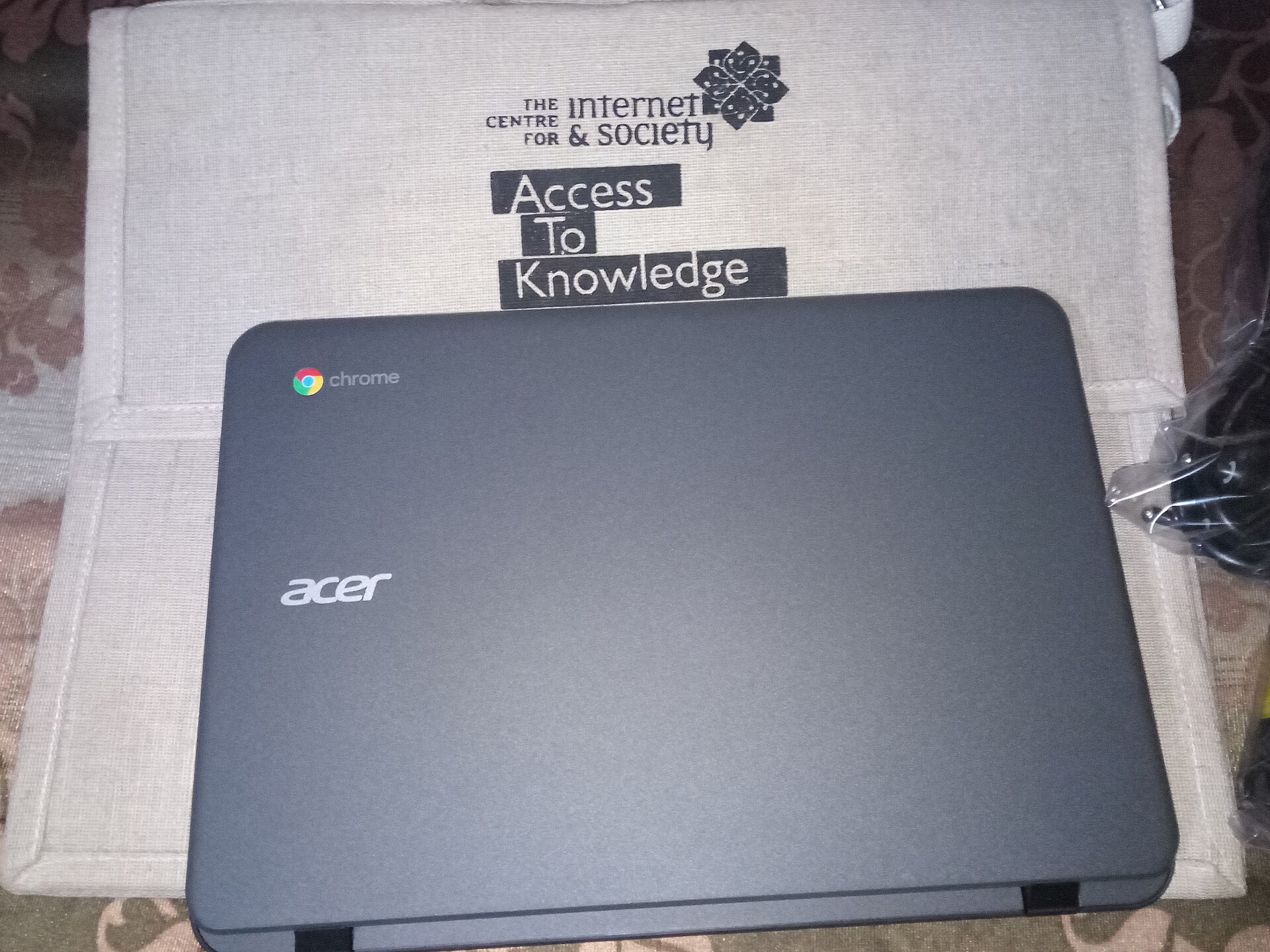
The best laptop under £400 for most students is a Chromebook Plus – with one caveat
Not a Chromebook. A Chromebook Plus. The distinction matters, because “Chromebook” still covers those £179 machines with pencil-tin build quality that gave ChromeOS its bad name in the first place. The Plus certification forces a floor: at least 8GB of RAM, a proper 1080p IPS screen, a decent webcam and a current processor. Asus and Lenovo both sell Plus models comfortably inside £400, and frequently around £300 when the August promotions land.
For a student whose life runs on Google Classroom – which, in practice, is most UK state secondary pupils – ChromeOS is quicker, safer and far harder to break than Windows on equivalent hardware. There’s no antivirus to nag, no forced hour-long update on a Sunday night before a deadline, and the ten-year automatic update guarantee on current models means it’ll still be patched long after the child has left school. My own test of a £329 Asus Chromebook Plus this spring came down to one note: the keyboard is better than laptops I’ve used at twice the price.
The caveat is software. If sixth-form coursework needs full desktop Photoshop, or proper Windows-only software for computing A-level, ChromeOS will eventually frustrate. Web versions cover more than most people think, but check the school’s actual requirements before committing. One email to the department head saves a December argument.
Ask the school before you ask the shop
Parents research processors for a fortnight and then never send the one email that would settle the decision in four lines. Before anything goes in a basket, ask the school’s IT or head of department three questions: which platform their accounts run on, whether any subject software is Windows-only, and whether any assessment or mock software the school uses will run on ChromeOS.
Most UK state secondaries answer “Google” to the first, which points straight at a Chromebook Plus. But a computing department running Visual Studio, a DT department on desktop CAD, or a music department on a Windows-only sequencer changes the answer completely, and it’s a cheap thing to find out in August rather than in week three.
Worth asking a fourth thing while you’re there: whether the school runs a hardship or device-loan scheme. Plenty do and almost none of them advertise it, because the budget is small and they’d rather quietly help the families who ask. There’s no means test at most schools for a short-term loan machine, either.
One more practical point that trips people up every September. If the child’s work will live in Google Drive or OneDrive, storage size on the laptop matters far less than everyone assumes, and 128GB is plenty. If they’re editing video for media coursework, it isn’t, and 512GB stops being a luxury. And if homework keeps stalling at the moment a video loads, the laptop usually isn’t the culprit – the wifi reaching the back bedroom is.
The Windows machines that clear the bar
If it has to be Windows, the reliable route at this price is a Lenovo IdeaPad Slim 3 or an Asus Vivobook 15 with a Ryzen 5 and 16GB of RAM – both drift under £400 regularly, and both are dull in the best possible way. Nothing about them is exciting. Everything about them works. TechRadar’s rolling laptop deals page is worth a look before buying, because these exact models yo-yo by £50 or more between weeks.
The trade-offs are honest ones: plastic builds, mediocre webcams, speakers that sound like a wasp in a jar. None of that affects an essay or a revision timetable.
Two things to avoid in Windows land at this budget. First, anything with “AI PC” stickers at a suspiciously low price – you’re paying for a marketing badge, not a capability a teenager will ever use. Second, 2-in-1 convertibles under £400: the hinge and touchscreen budget has to come from somewhere, and it comes from the processor and screen quality. A cheap convertible is a bad laptop and a worse tablet. If your child is under eleven, honestly, skip the laptop aisle entirely – a tablet still makes more sense at that age, and we covered the best of those before the six-week holidays started.
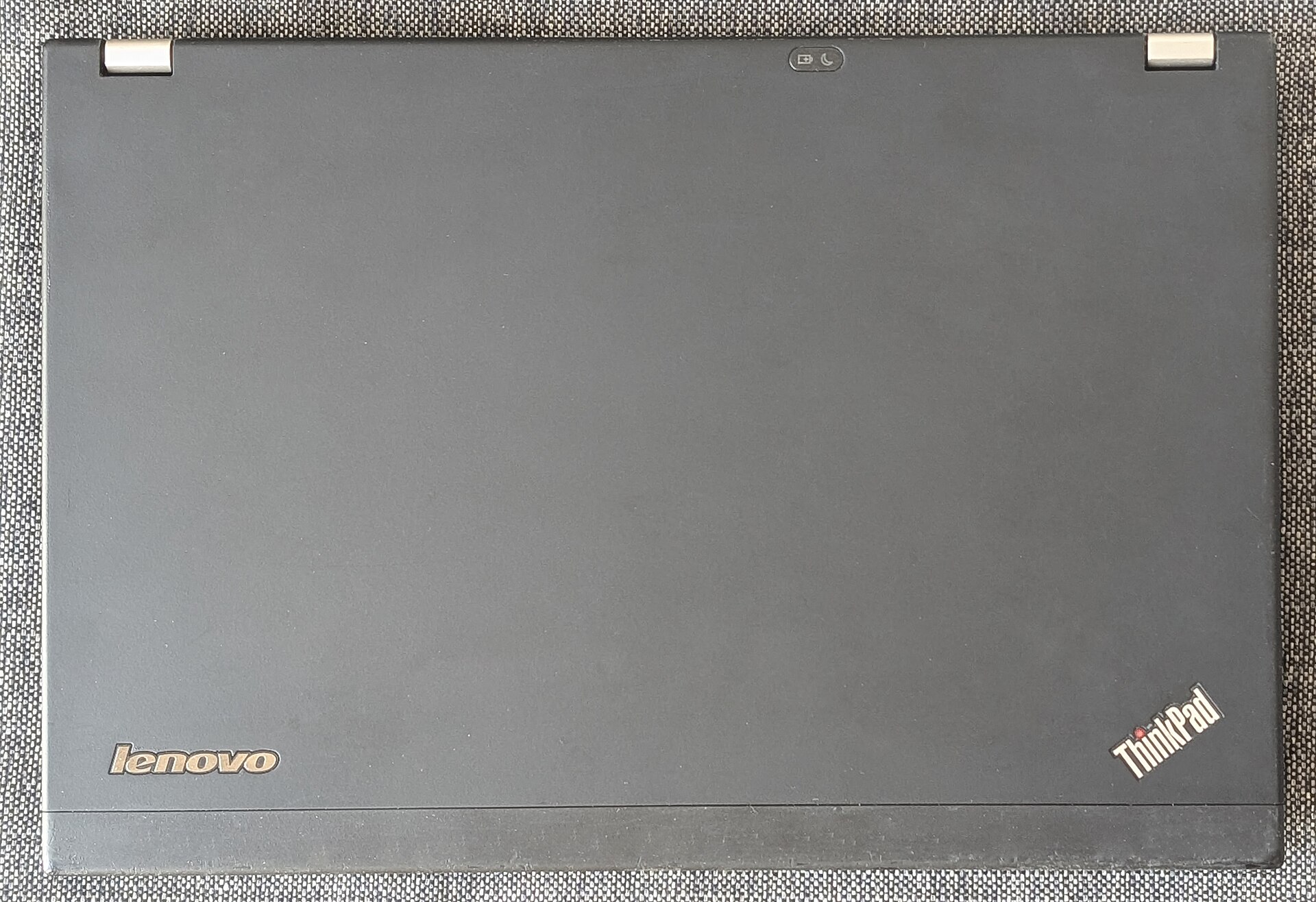
The refurbished ThinkPad: the best value nobody advertises
Here’s the opinion that gets me funny looks: the single best machine you can put in front of a GCSE or A-level student for under £400 isn’t new at all. It’s a three-year-old Lenovo ThinkPad T14 or X13 from a corporate refurbisher – a £1,200 business laptop, built to survive three years of being thrown into train luggage racks by sales reps, now selling for £250-£350 with a warranty.
You get a keyboard designed for people who type all day, a chassis tested against drops and spills, 16GB of RAM as standard, and easy upgrades later – most of these machines take a new SSD with one screwdriver. The battery will have lost some capacity, and the styling says “regional accounts manager” rather than anything a teenager would choose. Neither matters. Buy from a proper refurbisher grading the unit “excellent” or “grade A” with at least a 12-month warranty, and check it ships with Windows 11 – anything too old to officially run it (older than roughly 2018’s 8th-generation Intel chips) has been unsupported since Windows 10 security updates ended last October, and no saving justifies an unpatched machine on a school network.
And the Which? crowd agrees more than you’d expect – their laptop reviews have quietly rated refurbished business machines as strong value for years. It’s the retailers, who make thinner margins on refurbs, who’d rather you didn’t know.
The MacBook question
A refurbished MacBook Air M1 now sits around £400-£450 in decent condition, and every August someone asks whether to stretch. For most school-age children: no. The money buys a smaller screen and less storage than the Windows and ChromeOS options, and schools are built around Google and Microsoft ecosystems, not Apple’s.
The exception is a sixth-former doing media, music or art coursework, where the M1’s editing performance still embarrasses everything else near the price. In that specific case, stretch. Otherwise the badge is doing the persuading, not the laptop.
The five-year sum almost nobody does
Price per year is the only number that matters here, and it’s never on the ticket. Take the four routes above and spread the cost across a realistic lifespan.
| Machine | Price | Realistic useful life | Cost per year |
|---|---|---|---|
| Supermarket special | £229 | 18 months, generously | £153 |
| Refurbished ThinkPad T14 | £299 | 4 years | £75 |
| Chromebook Plus | £329 | 5 years+ (update guarantee) | £66 |
| IdeaPad Slim 3, 16GB | £389 | 5 years | £78 |
The cheapest laptop in the shop is the most expensive one on this table, by a factor of two. And that’s before the second purchase, the panic delivery charge, and the weekend lost to moving files off a dying machine.
Where to buy it – and the guarantee that’s worth more than the discount
Where you buy matters nearly as much as what you buy, and the answer isn’t always the cheapest search result. John Lewis includes a two-year guarantee on laptops at no extra cost, which on a machine heading into a teenager’s bedroom is worth paying £30-£40 more for than the same model from a marketplace seller. Currys will price-match the big rivals if you ask at the till – most people don’t ask. Argos is fine for the mainstream models but check the exact model number against the manufacturer’s site first, because budget ranges hide three near-identical variants with wildly different insides.
What to avoid: third-party marketplace sellers on Amazon listing “2026 model” laptops from brands you’ve never heard of, usually with five-star reviews written in oddly similar English. Some are rebadged machines that cost £150 at the factory gate. If the brand doesn’t have a UK support phone number, the warranty is theoretical.
For refurbs, stick to sellers who grade honestly and warranty properly – Back Market’s better-rated sellers, eBay’s certified refurbished programme, or the corporate refurbishers who sell direct. A refurb without at least twelve months of warranty isn’t a refurb. It’s a used laptop with marketing.
And keep the receipt somewhere findable. Schools see a steady trickle of laptops dropped down stairwells every autumn term, and whether that’s a £60 repair or a written-off machine often comes down to paperwork.
The first hour after it arrives
Spend an hour setting it up properly and you’ll save yourself a bad evening later in the year.
Sign in with the school account first, not a personal one, so Classroom or Teams appears where the child expects it. Turn on automatic cloud backup for the documents folder immediately, before there’s anything in it worth losing; a laptop that dies in March with an unbacked-up coursework folder is a genuinely miserable phone call. Photograph the serial number and keep it with the receipt, because police and insurers both want it and nobody can ever find the box.
Then check the insurance position. Most home contents policies cover a laptop while it’s in the house and cover nothing at all once it leaves; taking it to school every day needs a personal possessions extension, which usually runs £15-£30 a year. That is far better value than the extended warranty the shop will push at the till, which mostly duplicates rights you already have. Under the Consumer Rights Act 2015 you can pursue a retailer over a fault that was present from the start for up to six years in England and Wales, five in Scotland – the burden of proof shifts to you after six months, but the right doesn’t vanish after twelve.
And put a decent case on it. A £15 padded sleeve stops most of the cracked-screen phone calls that schools field every autumn, and the laptop will spend its life being shoved against a water bottle regardless of what anyone promises you in August. If it’s going to live on a desk for revision, a stand and a separate keyboard costs about £30 and fixes the neck-craning posture every parent complains about.
Numbers on the box that mean nothing
A quick decoder for the shelf-edge tickets, because retailers lean on big numbers to sell bad machines. “Up to” anything – “up to 11 hours”, “up to 4.1GHz” – is a lab figure you will never see. Storage size on its own is meaningless: a 512GB eMMC drive is worse than a 256GB SSD in every way that affects daily use. Megapixels on the webcam tell you nothing about whether your child looks like a potato on a video call; sensor quality does, and it’s never printed on the box. Audio is the same story: the built-in mics on sub-£400 laptops are poor enough that a cheap wired office headset is the best £25 you can spend alongside one.
Screen resolution is the one number worth trusting, and if the machine is going to live on a desk at home for half its life, a portable second screen does more for coursework than any spec upgrade at this price. If the ticket says 1366×768, put it down. That resolution was tired in 2015.
Full HD screens, honest SSDs and sufficient memory are cheap enough now that any corner-cutting on them is a choice the manufacturer made about you.
When to actually buy
Mid-August is the sweet spot. The back-to-school promotions are real even if the shelf-edge machines aren’t worth having – the discounts land on the good models too, and the IdeaPads and Chromebook Pluses above routinely drop £40-£70 in the weeks before term. Waiting for Black Friday means a term and a half of sharing the family iPad, and last November’s laptop “deals” were mostly the same prices with louder signage. The Guardian’s laptop coverage made the same point last year, and nothing has changed.
Sixth-formers heading off next year can think about it differently again, because a laptop bought this month has to survive halls too, and that changes what’s worth spending on – we went through the rest of the kit list for under £250 last week. For everyone else: buy the boring machine with the right specs, or the ugly refurb with the great keyboard. Skip everything under £250 unless you enjoy buying laptops twice. Spend anything left over on headphones that shut out a noisy house, which do more for revision than any processor upgrade at this price.
And if the new machine is heading off on one last summer trip before term – trains, flights, a festival – it’s worth knowing what the airlines actually allow in hand luggage now, and packing a power bank that’s up to the job.
The other bit of desk kit worth sorting before term: a printer that doesn’t ransom you on ink. Our best home printer 2026 guide picks those out.
If the budget can stretch another £100, the picture changes completely. Apple’s £499 MacBook Neo is now in play, and our best student laptop under £500 guide weighs it against the Windows rivals.
Five years from now, will the £379 laptop you bought this August still be doing homework – or will the £229 one already be in a drawer, keeping the old phones company?