
Laptop Stand UK 2026: Why the Smallest Ergonomic Upgrade Is the One Most Home Workers Skip
For something that costs less than a takeaway, a laptop stand might be the most leveraged ergonomic upgrade in the average UK home office. Five years into mass remote working, most people have replaced the wobbly dining chair, fixed the broadband, and bought decent headphones. Far fewer have done the cheapest fix of all: getting their screen high enough that they are not looking at the top of their own head all day. If you have searched “laptop stand UK” because you have started feeling a small ache between your shoulders that was not there in 2019, you are dealing with the right problem. If the laptop it’s holding up is due for replacement, our best student laptop under £500 guide is the place to start.
In This Article
- Why the laptop stand UK home workers skip is the upgrade with the biggest pay-off
- Who actually needs one
- The four types of laptop stand worth knowing about
- How to pick one for your desk
- What you will need alongside it
- The mistakes UK buyers make – and what it actually costs
- Where a stand fits in the upgrade order
This guide is a practical look at what a laptop stand does, who actually needs one, and what to consider before you spend twenty pounds – or ninety – on a piece of bent aluminium.
Why the laptop stand UK home workers skip is the upgrade with the biggest pay-off
Posture in front of a laptop is bad by design. The keyboard and screen sit eight inches apart on a single hinge. To see the screen properly you have to bend your neck forward; to type properly you have to slouch your shoulders. Hold that for an eight-hour Tuesday and the strain builds in three places: the base of your neck, the top of your shoulders, and your lower back as it tries to compensate.
A laptop stand fixes the geometry. By raising the screen by anywhere between four and twenty centimetres, it brings the top of the display roughly level with your eyeline. Your head sits over your spine instead of in front of it. Your shoulders drop. The downstream effect on chair posture is genuine and shows up within a week.
The Health and Safety Executive’s workstation guidance for display screen equipment – which technically applies to employers but is the closest thing the UK has to a household standard – has long called for the top of the screen to be at or just below eye level. A laptop sitting flat on a desk fails that test almost universally.
Who actually needs one
Most desk-based home workers, if they are honest. The clearest signs you should bring a stand into the equation are these.
A neck that aches by mid-afternoon, particularly along the trapezius – the muscle that runs from the base of your skull to the top of your shoulder. A laptop too low is the most common cause of that pattern in remote workers.
A reflexive habit of perching your laptop on a stack of hardback books or an old shoebox. The instinct is correct – you are trying to raise the screen – but the angles will be slightly off, the typing surface is now in the wrong place, and you need an external keyboard to do the job properly.
A monitor on the desk used as the main screen, with the laptop sitting open beside it as a secondary. Without a stand, your laptop screen is dramatically lower than the external monitor, and your eyes spend the day refocusing between two heights. A stand brings them roughly level.
If none of those describe you – if you work in short sittings, swap between laptop and tablet, and rarely break two hours – you may genuinely not need one. For everyone else, the case is straightforward.
The four types of laptop stand worth knowing about
The category splits into four broad shapes, and the right pick depends mostly on your desk and how often you move.
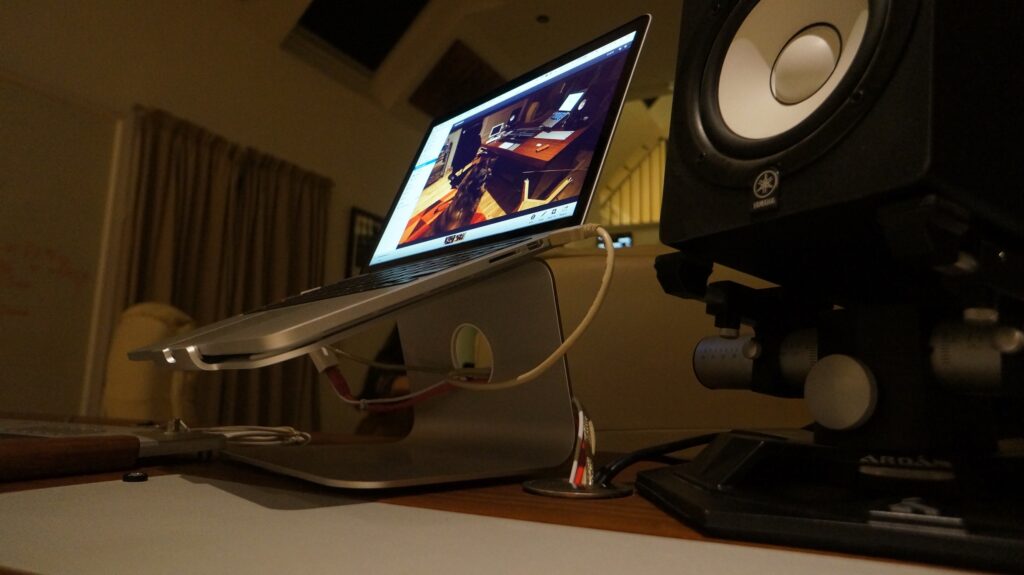
Aluminium fixed-height stands. The classic Rain Design mStand template. A solid metal arch that lifts the laptop by about fifteen centimetres. They look smart, are sturdy enough that you will never replace them, and pair well with an external keyboard and mouse. The trade-off is that they are heavy, take up a fixed footprint, and need a separate input setup to be properly usable.
Adjustable arm stands. Z-shaped or articulating designs that let you set the height and angle. More flexible if you share a desk or fluctuate between sitting and standing. Slightly less elegant; more moving parts to fail. Worth the premium if your setup changes regularly.
Folding portable stands. Lightweight aluminium or plastic stands that collapse flat. Designed for hot-desking and travel; useful if you split your week between home and a co-working space. They are not as stable as a fixed stand and most do not raise the screen quite as high, but they go in a backpack.
Risers and platforms. Wooden, bamboo or acrylic platforms that sit your laptop a few inches up while leaving room beneath for storage or a Bluetooth keyboard. The most furniture-like option, and the one most likely to fit a non-tech-led interior. They tend to give the smallest height boost.
If you spend most of the week at one desk, the fixed aluminium template is the easiest pick. If you move around, go folding. If your desk is in the living room, a wooden riser will probably win on aesthetics.
How to pick one for your desk
Three numbers do most of the work.
The first is screen height. Sit at your desk in your normal posture, look straight ahead, and note where the top of your laptop screen falls. You want a stand that brings the top of the screen within about a hand’s width below your natural eyeline. For most adults using a 13- to 16-inch laptop on a standard 73 cm desk, that means roughly 12 to 18 cm of lift.
Screen position does more for tired eyes than special lenses. Our look at the evidence on blue light glasses found no benefit for eye strain across 17 trials, and explains why a sight test and regular breaks are the better bet.
The second is footprint. Measure the available depth of your desk behind the laptop. Some stands have a deep arch that eats six or seven centimetres of room behind the machine; on a shallow desk that is a problem. If your monitor or wall is close, a flatter riser style will fit better. Our monitor arm guide goes deeper into reclaiming desk space when surface area is tight.
The third is weight tolerance. Most stands list a max load. A 16-inch MacBook Pro is around 2.2 kilograms; a chunky gaming laptop can hit 2.8. Anything rated to 5 kg will hold what you throw at it. Below that, check.
What you will need alongside it
A laptop stand on its own is half a fix. The whole point is that the screen goes up, which means your hands need somewhere else to type. Without that, you end up with arms reaching forward and up to the floating keyboard, which is worse posture than you started with.
The honest minimum is an external keyboard and mouse. They do not need to be expensive. If you already type fluidly on the laptop’s built-in, a low-profile wireless keyboard will feel familiar within a day. If you want to think more carefully about the mouse side of that pair, our vertical mouse guide covers what to look for and why more home workers are switching.
The other thing worth pairing is a chair that does its share of the work. A stand fixes the screen; a home office chair with proper lumbar support fixes everything below the shoulders. Buying one without the other tends to leave you feeling that something is still slightly off.
The mistakes UK buyers make – and what it actually costs
Three errors turn up repeatedly. The first is going too short: people buy a stand that lifts the laptop by five or six centimetres and assume that is enough. For most desks and most people, it is not. The screen still sits below the eyeline; the neck still tilts. Look at the published height range before clicking.
The second is forgetting cooling. Closed-lid docking setups aside, your laptop runs harder when its rubber feet are off the desk than when they are on. Most stands have generous airflow gaps under the chassis, but cheaper acrylic platforms sometimes do not. Check.
The third is skipping the keyboard. Already covered, but it is the most common error. A laptop on a stand without an external keyboard is an Instagram photo, not a working setup.
On price, the honest range in pound terms is twenty to ninety. Below twenty, you are getting plastic that flexes; above ninety, you are paying for branded design or industrial-grade materials. The middle – thirty-five to fifty pounds – is where the most-recommended fixed aluminium stands sit, and where the better folding stands cluster too. The Guardian’s Filter section has tested this category more than once, and the verdict is broadly the same: you do not need to pay top end to get the basics right.
Where a stand fits in the upgrade order
For most UK home workers who have been at it for more than a year, a stand is the cheapest upgrade with the most direct effect on how you feel at the end of the working day. Of all the obvious investments – chair, lighting, broadband, monitor, headphones – it is the one with the smallest bill and the quickest pay-off. Even a basic fixed aluminium stand and a £25 wireless keyboard, bought together for under sixty pounds, removes the structural reason most desk workers ache by Friday. Anyone already feeling a wrist twinge should look at an ergonomic keyboard at the same time – the two upgrades work best paired.
The honest test: when you next finish a working day, notice where the tension sits. If it is concentrated in the neck and shoulders, the height of your screen is doing the damage. A laptop stand will not undo a year of bent-forward laptop work, but it will stop the bill running up further.
So – what is the upgrade you have been putting off in your own home office, and is it the one your back has been complaining about?





Took me ages to bite the bullet on a stand because the cheap ones felt like glorified shelves. Eventually got the Roost – light, folds flat, and my neck has thanked me ever since. Is the £80 price genuinely worth it over the £25 aluminium ones? That’s the question I always come back to.
Spent four years hunched over a kitchen table before I caved and bought a £30 Roost-style stand and an external keyboard. Neck pain went in about a fortnight. The bit about the angle mattering more than the height is something I learnt the hard way. Is there a meaningful difference between the £30 stands and the £80+ aluminium ones over a couple of years?