
Best Webcam for UK Home Workers Under £150: Why Your Laptop Camera Is Letting You Down
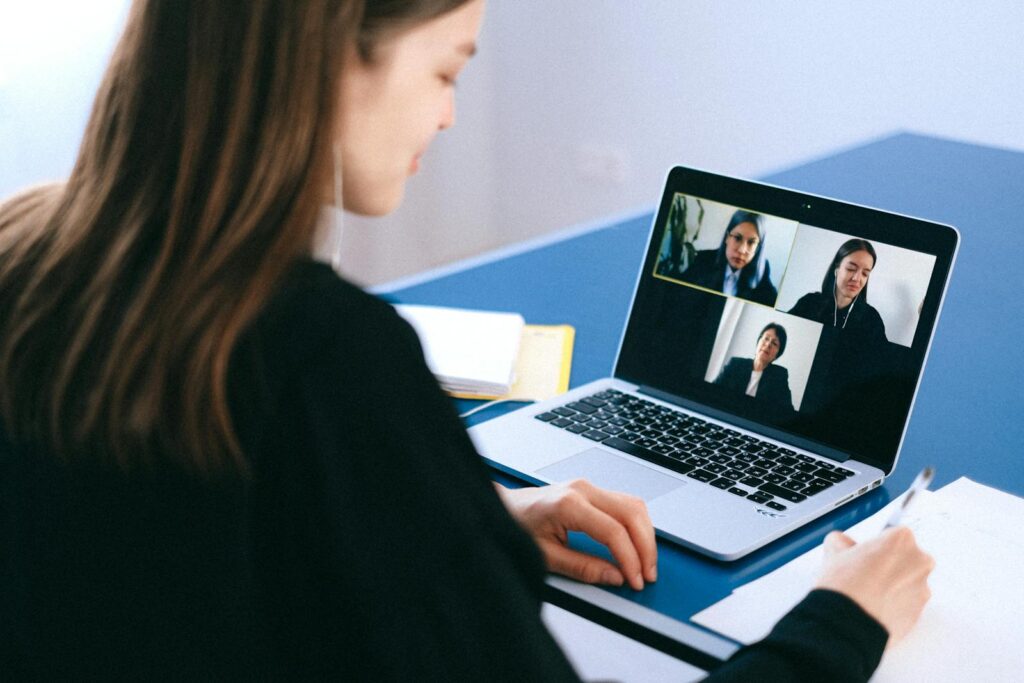
If you have spent any time on a Teams or Zoom call from a UK kitchen table this year, you already know the moment: the sun ducks behind a cloud, the room dims by half a stop, and the colleague on the other end has to ask whether you are still there. The fastest way out of that is not better lighting, a different laptop or a new pair of glasses – it is the best webcam for UK home workers you can fit into a sensible budget. A dedicated camera does the heavy lifting your laptop’s pinhole sensor was never built for, and a good one now costs less than a decent office chair cushion.
In This Article
- Why Your Laptop Camera Is Letting You Down
- What to Look For in the Best Webcam for UK Home Workers
- Best Webcam Under £150 for Most UK Home Workers: Logitech MX Brio 705
- Best Budget Webcam Under £60: Anker PowerConf C200
- Best Premium Pick Under £150: Insta360 Link 2C
- Why a 4K Webcam Isn’t Always the Right Buy
- Setup Tips That Make a Cheap Webcam Look Expensive
- The Verdict for UK Home Workers in 2026
This guide is aimed at people working from home or hybrid in the UK, on calls every day, who want a sharper image without paying streamer money. Everything here costs less than £150, ships from UK retailers and has been picked because it works in everyday rooms – not in a daylight studio with three softboxes. If you have already read our best video call gear guide, treat this as the deeper-dive on cameras specifically.
Why Your Laptop Camera Is Letting You Down
The problem with most laptop webcams is not really the megapixel count – it is the sensor size. Built-in cameras use tiny chips squeezed into the bezel, which means they collect very little light, smear in low conditions and over-correct your skin tone the moment a window is in shot. Even the better 1080p cameras on premium ultrabooks struggle once the British weather does its thing.
An external webcam helps in three ways. The sensor is bigger, the lens is properly mounted (so you are not pointing it up your own nose), and the firmware tends to be more honest about what your face actually looks like. Which? has been pointing this out in its webcam reviews for years – the gap between built-in and external is one of the few consumer-tech upgrades you can hear people on the call notice within seconds.
It also fixes the angle problem. Most laptops sit too low on a desk, so the built-in camera looks straight up your chin. A clip-on webcam goes on top of an external monitor at the right height, and the rest of the call sees your eyes instead of your nostrils.
What to Look For in the Best Webcam for UK Home Workers
Spec sheets for webcams are a swamp – resolution, frame rate, field of view, microphone array, AI tracking. Most of it is noise. The handful of things that genuinely matter for daily UK calls are:
- 1080p at 60fps, or 4K at 30fps. Either is enough. 1080p/60 looks smoother in motion; 4K/30 looks crisper in stills. Skip cameras that only do 1080p/30 – movement looks juddery.
- Decent low-light handling. This is the single biggest separator. Read reviews shot in actual rooms, not lit studios.
- A real privacy shutter. Software off-switches do not count when you are mid-rant about a colleague.
- A fixed focal length, or autofocus that does not hunt. Hunting autofocus during calls is unwatchable.
- Field of view around 78-90 degrees. Wider looks like a fisheye; narrower cuts off your shoulders.
- UK plug-and-play. Sounds obvious – but cheaper imports sometimes need driver downloads that Windows 11 will refuse on a managed work laptop.
You can safely ignore: built-in microphones (use a headset or a separate mic), AI framing on most cameras (it is jittery on anything under £200), and 4K on a 1080p monitor (your call partner is downsampled to 720p by Teams anyway).
Best Webcam Under £150 for Most UK Home Workers: Logitech MX Brio 705
If you want one answer to the question of which is the best webcam for UK home workers, it is the Logitech MX Brio 705 for Business at around £130-£140 from John Lewis, Currys and Amazon UK. It is a 4K sensor that you actually run at 1080p/60 for video calls, with a Sony Starvis sensor that handles low light better than anything else at the price. The image is honest, the colours are not aggressively warmed, and the privacy shutter is mechanical rather than software.
It clips onto a monitor cleanly, sits on a tripod thread if you prefer, and the tilt mechanism is stiff enough that nudging the desk does not knock it out of frame. The autofocus does occasionally hunt on busy backgrounds – the only real complaint – but for daily Teams, Zoom and Google Meet use it is the easiest recommendation in the UK market right now.
Best Budget Webcam Under £60: Anker PowerConf C200
Not everyone needs the MX Brio. If you are on calls a few times a week rather than all day, the Anker PowerConf C200 at around £45-£55 is the best value option in the UK. It does 2K at 30fps or 1080p at 60fps, has a real privacy cover, and the colour science is good enough that you do not look washed out on a grey Wednesday morning.
The compromises are honest ones. Low-light performance is fine but not great – if you work in a dim corner without a desk lamp, you will see grain creep in. There is no autofocus, just a fixed focal length around 80cm to 1.5m, which is exactly where you sit at a desk anyway. For the price, the only real competitor is Logitech’s older C920 (now £55 or so), which is a known-good but visibly dated option in 2026.
Best Premium Pick Under £150: Insta360 Link 2C
If your work involves any kind of presenting – training sessions, sales calls, internal demos – it is worth looking at the Insta360 Link 2C at around £140 in the UK. This is the camera with the proper gimbal head, so it can pan and tilt to track you if you stand up to draw on a whiteboard, and it has a useful “desk view” mode that points down at your keyboard or notebook for showing a sketch.
It is overkill for sit-down meetings, and the gimbal can get distracting in a multi-person call. But for a UK home worker who runs workshops, teaches online, or films short product videos for work, it is the closest you get to a content-creator setup without spending mirrorless-camera money. The Guardian’s tech section has covered working from home gear in some detail and it shows up there favourably for a reason.
Why a 4K Webcam Isn’t Always the Right Buy
It is tempting to assume the biggest number wins. It does not. Most calls in the UK happen on Microsoft Teams, Zoom or Google Meet, all of which compress your feed hard before sending it to anyone else – usually down to 720p, sometimes less when bandwidth tightens. A 4K source compressed to 720p does look slightly cleaner than a 1080p source compressed to 720p, but the difference is small and not always worth the extra £40-£60.
Where 4K does matter: if you record yourself for async videos (Loom, Vidyard, internal training), if you crop into the frame, or if you have a 4K external monitor and a colleague is using one too. Otherwise, prioritise low-light performance and a stable mount over raw resolution.
Setup Tips That Make a Cheap Webcam Look Expensive
Almost every UK home office can lift its on-camera quality dramatically without buying anything else, by sorting three things:
- Light from the front, not behind. A window behind you turns you into a silhouette. A window or lamp in front evens out your face. Our home office lighting guide goes deeper if you need a ring light or desk lamp recommendation.
- Camera at eye level. Mount the webcam on top of an external monitor, not below it. If you do not have a separate monitor, a stack of books works.
- One USB hub or dock between webcam and laptop. Plug the camera into a powered USB-C docking station, not a passive hub – bus-powered hubs cause the most “is your camera frozen?” moments on calls.
If you are renting and cannot drill anything, a small monitor arm clamp, a £15 desk tripod and a piece of putty to hide the cable are all you need. The fix is rarely the camera itself – it is everything around it.
The Verdict for UK Home Workers in 2026
If you are on calls daily and want a single answer, get the Logitech MX Brio 705 for Business and stop thinking about it. If you are price-sensitive or only on calls a couple of times a week, the Anker PowerConf C200 covers it for under £60. The Insta360 Link 2C is the right call if you present, demo or teach for a living. Everything else under £150 is a footnote.
The wider point is that British home offices have got dramatically better in the last two years – lighting, audio, ergonomics, broadband – but a lot of us still rely on the same laptop webcam we had in 2021. It is the easiest, most visible upgrade left, and the one your colleagues will actually notice. Pair the new camera with a dedicated office headset and the laptop-microphone era is finally behind you. If you have already swapped yours, what made the biggest difference on calls – the camera, the lighting, or the angle?




Genuinely needed this. Spent the last six months on a Logitech C920 thinking it was ‘fine’ until a recruiter politely asked if I was at home or in a basement. The lighting point is the bit nobody talks about – even a £30 ring light made my old camera look passable. Has anyone tried the Insta360 Link 2 yet? Tempted but the price tag still makes me wince.
Same boat with the C920 – thought it was fine until new colleagues turned up on Brios and the difference was embarrassing. Did you end up going straight to the 700 series or settle for a mid-range option? My team are all looking at upgrades.
Bought the Brio 705 on the strength of a similar review and the difference on Teams calls is genuinely noticeable – colleagues actually commented. The autofocus thing is real though, mine occasionally hunts mid-sentence. Worth the £180 I paid? Probably. Has anyone tried the Anker option in low UK winter light?
Honestly didn’t realise how much my MacBook camera was washing me out until our new starter joined on a Logitech and looked like she’d been lit by a film crew. Any view on the Insta360 Link vs the Brio for a small home study?