
Ergonomic Keyboard UK 2026: Why Home Workers Are Quietly Upgrading Before RSI Bites
Spend long enough at a kitchen table with a laptop and your wrists eventually start sending up flares. A bit of tingling in the little finger, a dull ache in the forearm by Friday, the sense that your hand is permanently flexed in a way it was never designed for. The right ergonomic keyboard UK home workers can actually buy today won’t fix every desk sin – but it does the heavy lifting on the one piece of kit you touch for six or seven hours a day without thinking about it.
In This Article
- What “ergonomic keyboard” actually means in 2026
- Who actually needs one (and who doesn’t)
- Best ergonomic keyboard UK picks under £150
- The six picks at a glance
- Split, sculpt, or low-profile – which design suits which job
- Sculpted vs split, in one breath
- Five ergonomic keyboard myths worth dropping
- Setting it up so you actually feel the difference
- When to spend more (and when not to)
- A note on Macs, Linux and travel
- Ergonomic keyboard FAQs
This isn’t a niche concern any more. Hybrid working has quietly created a generation of UK desk workers who’ve been typing on laptop keyboards in unsuitable positions for half a decade. The HSE has been warning about display screen equipment risks for years, and its guidance is blunt: laptops used as a main machine should be paired with a separate keyboard and mouse so the screen can sit at eye level. Most home setups still skip the keyboard entirely – because nobody fancies dropping £400 on a chair and another £150 on a peripheral that looks like a cracked-open clamshell. If your desk lives in a garden office or a spare-room corner, the keyboard is usually the cheapest meaningful upgrade you can make.
Below is what’s worth knowing if you’re shopping for an ergonomic keyboard UK retailers stock in 2026, what the differences between layouts mean in practice, and where the £150 ceiling lands.
What “ergonomic keyboard” actually means in 2026
Most regular keyboards force your hands into a slight inward angle (ulnar deviation) and a downward palm tilt (pronation). An ergonomic keyboard tries to fix one or both of those. The mainstream UK options now fall into three rough camps:
- Sculpted keyboards – one piece, but with a curved or split layout in the middle. The old Microsoft Sculpt and the newer wave of Logitech ergo boards live here.
- Tented split keyboards – two physical halves you can angle outwards, sometimes with a “tent” in the middle so your palms tilt up rather than down. Logitech Ergo K860, Kinesis Freestyle Pro and the budget-friendly Cloud Nine all fit this.
- Fully split mechanical – two separate halves connected by a cable, often programmable. This is where Keychron Q11, ZSA Voyager and the various split mechanical boards UK enthusiasts buy from Etsy live.
The middle camp is the one most home workers should look at first. The fully split mechanical world is fun if you enjoy customising your tools, but the learning curve is steep and the prices climb fast.
Who actually needs one (and who doesn’t)
If you’re at a desk for under three hours a day, you probably don’t need a dedicated ergonomic keyboard – sorting your chair height and screen height matters more. Our office chair guide covers that bit.
If you’re typing for five-plus hours a day, four-plus days a week, the case is much stronger. Persistent forearm or wrist soreness, tingling at the end of the day, or shoulder hunch from a tucked-in laptop are all signals that the keyboard is now part of the problem. Pair the keyboard upgrade with a vertical mouse and you’ve covered the two most-used input devices in one budget.
If you’ve already got mild RSI symptoms, see a GP first. The keyboard is a maintenance tool, not a treatment. The NHS groups wrist and forearm pain of this kind under repetitive strain injury, and its first-line advice is to change the setup and take regular breaks rather than to buy your way out of the problem.
Best ergonomic keyboard UK picks under £150
The £150 ceiling is where the genuine quality cluster sits in 2026. Below £40 is mostly tat. Above £200 you’re paying for either premium materials or programmability that most home workers don’t actually need. Prices below are approximate UK street prices and move around with sales, so treat them as a guide rather than a quote.
Logitech Ergo K860 (~£110-130) – the safest pick for most people. Curved split layout, generous wrist rest, wireless, works on Mac and Windows. The keys are membrane rather than mechanical, which helps if you share a room with anyone else. The most common complaint is that the wrist rest can flatten over time, but at this price that’s an acceptable trade.
Microsoft Sculpt Ergonomic Keyboard (~£90-120, availability patchy) – worth a clear word of warning. Microsoft exited the PC accessory business and stopped making the Sculpt; the design has been licensed to Incase, which now sells it as the “Sculpt Ergonomic Keyboard Designed by Microsoft”. That relaunch arrived later than promised and UK stock has been thin, so what you’ll often find on Amazon is old Microsoft stock at inflated prices. The curve is still well-judged for medium-to-large hands and the fixed split suits people who don’t want to fiddle, but check the seller and the price before buying – it is no longer the cheap, always-in-stock default it used to be.
Kinesis Freestyle Pro (~£130-150) – the entry point to “real” split keyboards. Two halves you can pull apart up to 20 inches, optional tenting accessory sold separately. Mechanical Cherry MX switches feel sharper than the Logitech but are louder, so check before you take a video call from the same desk.
Cloud Nine ErgoTKL (~£120-140) – the dark horse. Tented split, mechanical, RGB if you want it (you mostly don’t). UK stock is patchier than the Logitech option, but Amazon UK and Currys both carry it intermittently.
Keychron K11 Pro / V-series split (~£90-110) – not strictly an ergonomic keyboard, but a low-profile split layout that suits home workers who want something less radical. Good for shallower desks and people who travel between home and office.
A note on warranty: all of the above carry at least a one-year UK warranty, and most retailers will swap rather than repair. Buy from a UK seller, not a grey importer – if it breaks, returns matter more than the £15 you’d save buying parallel-import.
The six picks at a glance
If you just want the shape of the decision, this is it. “Best for” is the deciding factor; the watch-out is the thing buyers most often regret missing.
| Keyboard | Type | Approx UK price | Best for | Watch-out |
|---|---|---|---|---|
| Logitech Ergo K860 | Sculpted split, membrane, wireless | £110-130 | Most people; quiet shared rooms | Wrist rest softens over time |
| Microsoft/Incase Sculpt | Sculpted split, membrane, wireless | £90-120 | Fixed-angle simplicity | Patchy UK stock; check seller |
| Kinesis Freestyle Pro | Adjustable split, mechanical | £130-150 | Wider-than-shoulders posture | Loud; tenting kit costs extra |
| Cloud Nine ErgoTKL | Tented split, mechanical | £120-140 | Tenting on a budget | Intermittent UK availability |
| Keychron K11 Pro | Low-profile split | £90-110 | Travel and shallow desks | Mildest ergonomic benefit |
| ZSA Voyager | Fully split, programmable | £300-330 | Diagnosed RSI; power users | Steep relearn; wired only |
Split, sculpt, or low-profile – which design suits which job
The honest answer is that the design that wins is the one you’ll actually use. Three rough heuristics:
If you do a lot of video calls and share desk space, a sculpted membrane board (K860 or Sculpt) is the path of least resistance. Quiet, recognisable layout, no learning curve.
If your work is heavily numerical (finance, data, accounting), the K860’s integrated number pad usually beats a separate one – the Sculpt’s external pad is fine but takes more space.
If you’re a heavy text editor (writers, developers, anyone who lives in a code editor), a true split mechanical like the Kinesis Freestyle Pro or Cloud Nine ErgoTKL gives you the option to push the halves wider than your shoulders, which is the bit that actually fixes posture. Be ready for a fortnight of slower typing while your hands rewire.
Sculpted vs split, in one breath
- Sculpted membrane – pros: cheap, quiet, zero learning curve, recognisable layout. Cons: fixed angle, no tenting, wrist rests wear out.
- Adjustable split – pros: real posture fix, width and tent you can dial in, sharper mechanical feel. Cons: louder, pricier, a fortnight of slower typing while you adapt.
Five ergonomic keyboard myths worth dropping
The category attracts a lot of confident nonsense. The ones that cost people money:
- “Ergonomic means mechanical.” No. The best-selling ergonomic board in the UK, the K860, is membrane. Switch type is about feel and noise, not wrist health.
- “A wrist rest is for resting your wrists while typing.” It’s for the pauses between bursts. Resting your wrists down while you type pins the tendons against the desk edge, which is the opposite of what you want.
- “The more split and tented, the better.” Only if you adapt to it. An aggressive board you abandon in week one is worse than a mild one you keep using.
- “It’ll cure my wrist pain.” A keyboard manages load; it doesn’t treat an injury. Persistent pain is a GP conversation, not a shopping one.
- “Spending more buys more comfort.” Past about £150 you’re mostly buying programmability and materials. Comfort plateaus well before price does.
Setting it up so you actually feel the difference
A new keyboard solves nothing if it sits on top of the same broken setup. The basics:
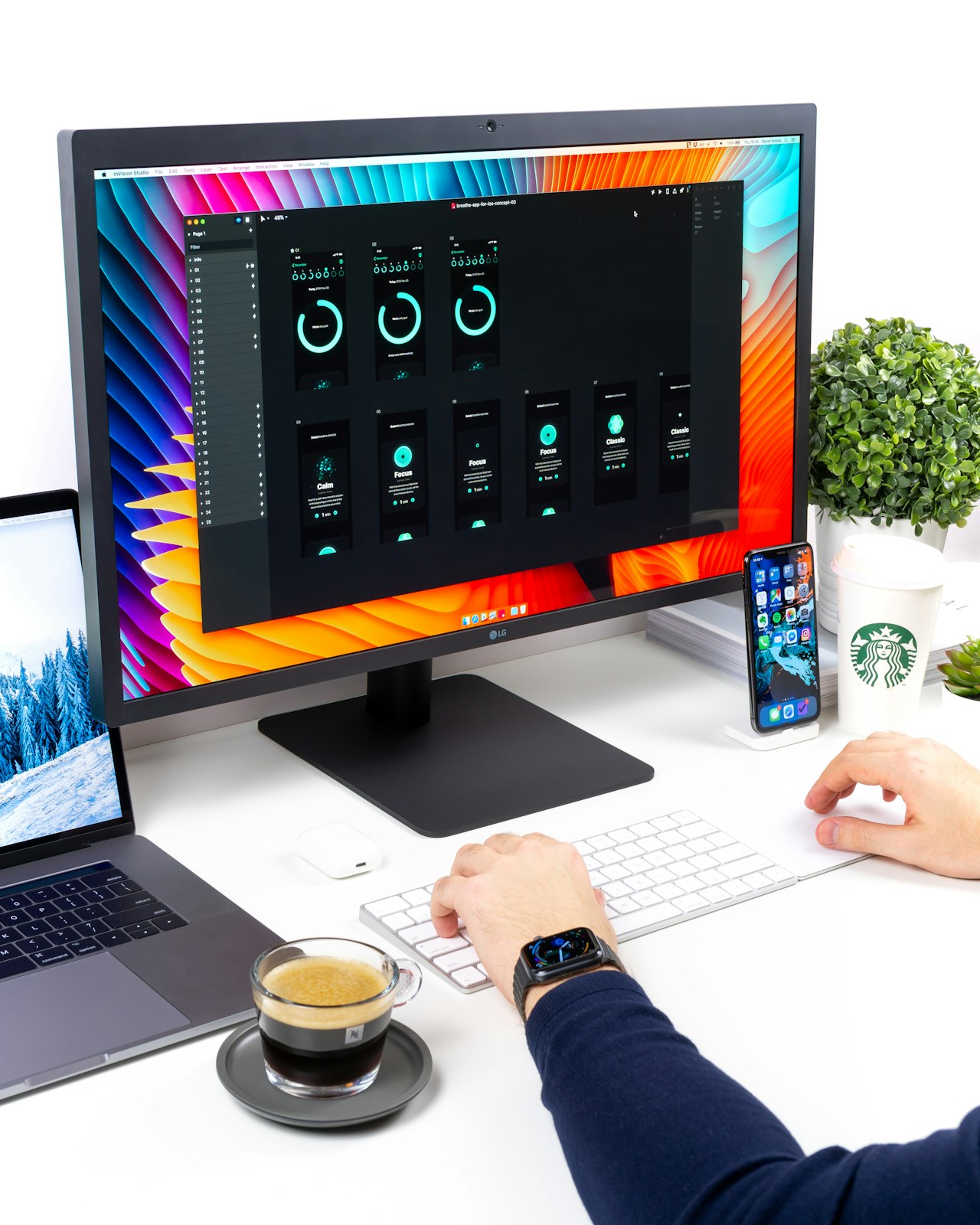
- Adjust chair height first so your forearms are roughly level with the desk, not tilted up to it.
- Set the keyboard so your wrists are floating, not resting on the wrist pad while typing. The pad is for pauses.
- Move the mouse closer than you’d think, ideally on the same plane as the keyboard.
- Drop the laptop screen and switch to an external monitor – even a budget 24-inch one, or a portable monitor if desk space is tight. Pair it with a laptop stand if you can’t yet.
- Sort the lighting too – a glare-free webcam light reduces the squint-and-hunch that quietly feeds back into your wrists on long call days.
- Give yourself two weeks before deciding. Wirecutter’s ergonomics guide makes the same point – the adjustment period is real, and most people who give up do so in week one.
When to spend more (and when not to)
The case for going over £150 is genuinely narrow. If you’ve already tried a sub-£150 ergonomic keyboard and the wrist tilt isn’t enough, a fully programmable split like the ZSA Voyager (~£300-330) or the Kinesis Advantage 360 (~£400-430) lets you remap layers, run thumb clusters and use ortho-linear key columns. For a small group of users – typically those with diagnosed RSI or developers who’ve already got a mechanical hobby – the upgrade is real.
For everyone else, more money buys diminishing returns. A £400 board that lives unused on a shelf because the layout took too long to learn is no better than a £90 Sculpt you’ll plug in tomorrow.
A note on Macs, Linux and travel
Most modern ergonomic keyboards UK retailers stock work on macOS out of the box, but the modifier key layout differs. Check whether the board has a dedicated Mac mode – the K860 and Keychron range do; older Microsoft boards don’t, which is fixable through software but annoying.
For travel, the Keychron K11 Pro and the Logitech MX Keys Mini Split are the only ones in this price band that fit in a normal laptop bag. A Kinesis Freestyle Pro can be travelled with, but you’ll feel it in your shoulder.
Ergonomic keyboard FAQs
Are ergonomic keyboards worth it for home working? For anyone typing five or more hours a day, yes – it’s the cheapest meaningful change to the input device you use most. For light use, fixing chair and screen height matters more.
How long does it take to get used to a split keyboard? Plan for about two weeks of slower typing on a true split. Sculpted boards like the K860 have almost no learning curve.
Do ergonomic keyboards prevent RSI? They reduce load, which can help prevent flare-ups, but they don’t treat existing injury. Persistent pain warrants a GP visit.
Membrane or mechanical for wrist comfort? Neither is inherently better for your wrists – it’s about layout and angle. Mechanical is about feel and noise. Membrane boards like the K860 are quieter for shared rooms and calls.
What’s the best ergonomic keyboard under £150 in the UK? For most people the Logitech Ergo K860. If you want adjustable width and a sharper mechanical feel, the Kinesis Freestyle Pro is the pick.
If you’ve already upgraded the chair, the screen and the lighting and your wrists still ache by Thursday, the keyboard is almost certainly the next thing on the list. What’s stopped you so far – the price, the layout, or just the look of the thing on a desk?